

Why Your Hero Section Is Killing Conversions (And One Screenshot That Fixed Everything)
Conversion Truth
6
min
read
Okay soooo today we're talking about the ONE thing that's probably tanking your website engagement right now... and you don't even know it's happening 🙃
Here's what we're covering:
Why showing beats telling (EVERY single time!!)
The exact test I ran with AudienceOut that increased session time by 34%
How to fix your hero section in like... 10 minutes max
What "above the fold" actually means for your Framer website (spoiler: it's not what you think)
Basically, if your Framer website doesn't show visitors what you DO in the first 2 seconds??? You're losing them. And I've got the data to prove it.
Let's goooo.
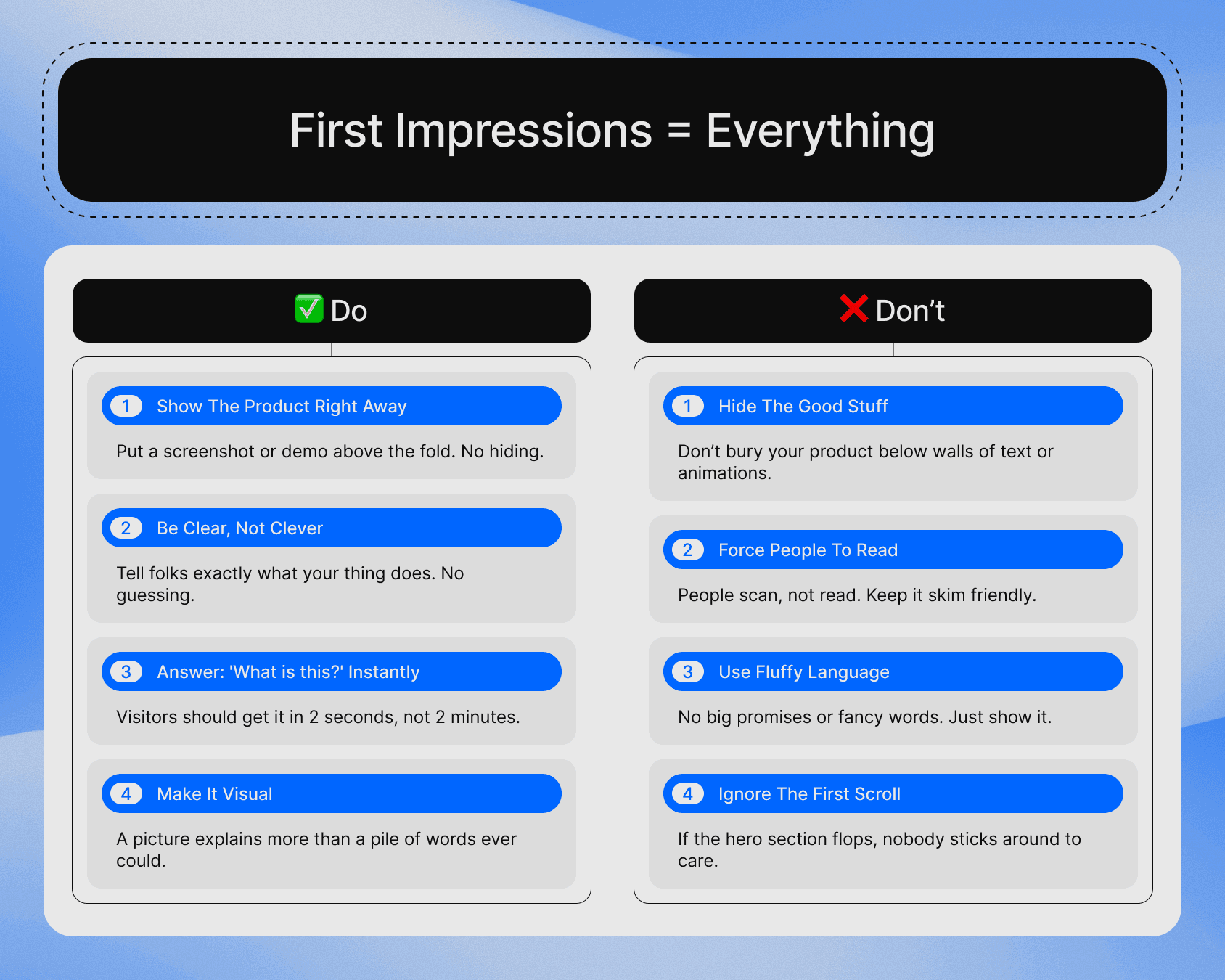
First Impressions Decide Everythingg (Yours Is Failing RN)
Seeeee here's the thing...
Visitors don't READ your hero section.
They SCAN it.
And if they can't instantly see what your product does in that first scroll???
GOOD NIGHT!! :/
I tested this exact hypothesis with AudienceOut (a B2B service I work with as a Framer expert). Their hero section was beautifully designed... clean typography, solid copy... the WORKS.
But it was doing absolutely NOTHING for engagement.
Why???
Because there was zero product preview above the fold.
Just text.
Promises.
Vague benefits.
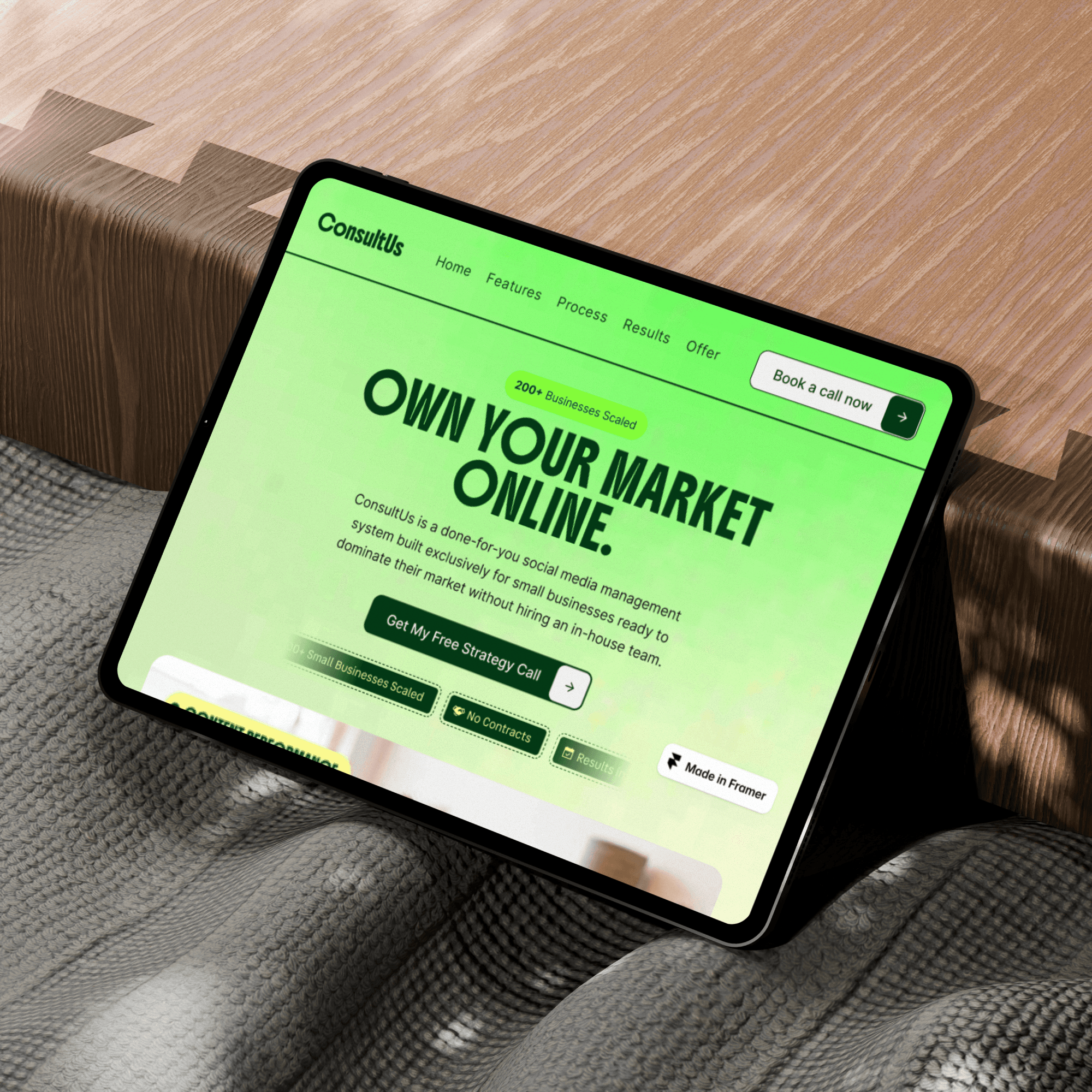
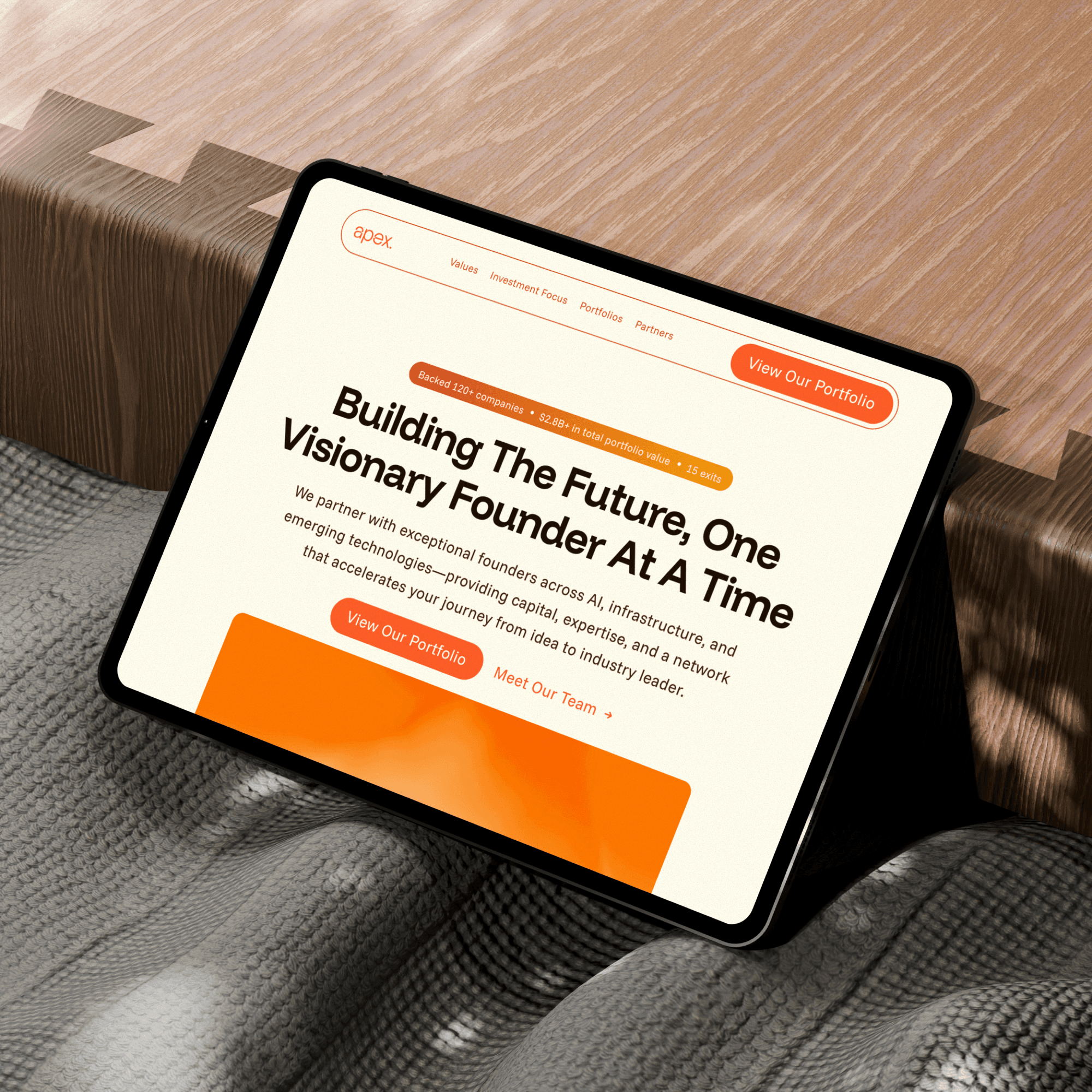
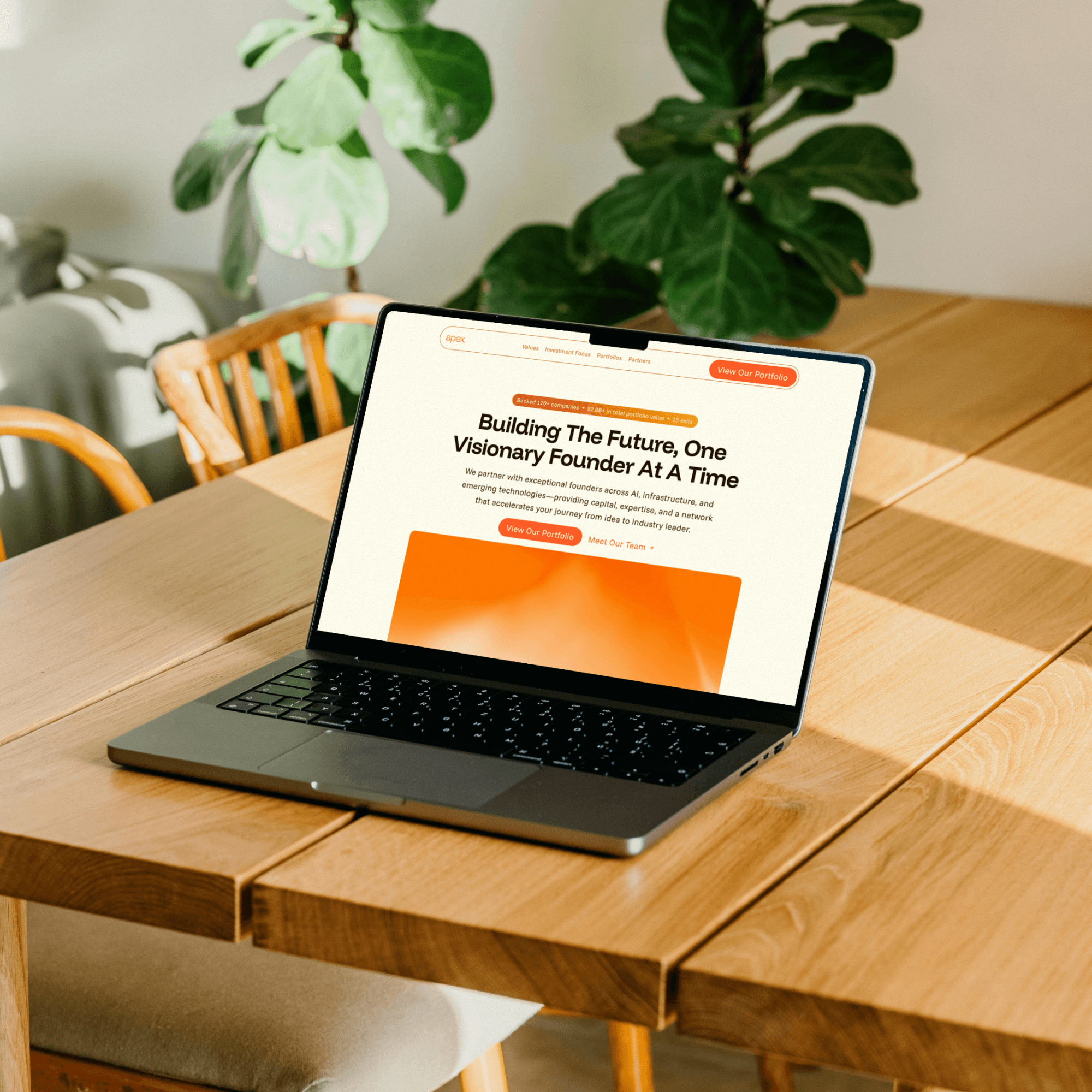
Sooo I moved the app's screenshot above the fold.
That's it.
Nothing else changed!!
Same copy, same CTA, same everything.
Annnnd then...
Session time jumped 34%.
MORE than 2 minutes average session duration!!
Uffff.
Just ONE visual doing the heavy lifting.
Here's what most B2B service founders miss when they're building their Framer website:
Showing > Telling. ALWAYS!!
Your brain processes visuals 60,000x faster than text (yeppp that's a real number). When someone lands on your website, they're making split-second decisions about whether to stay or bounce. And a product preview??? That's your PROOF that this thing actually exists and does what you claim.
Think about it...
Would you rather read "AI-powered analytics dashboard that transforms your data" OR see an actual screenshot of the dashboard with charts, metrics, and insights???
Exactly.
The screenshot answers the question every visitor is subconsciously asking: "WHATT THE F*CK IS THIS???"
And it answers it in 2 seconds flat.
(Uhhh ik ik... sounds aggressive but that's literally how fast people decide)
This is ESPECIALLY critical for Framer websites because... let's be real... Framer attracts designers and founders who care about aesthetics. So they over-invest in beautiful hero sections with poetic copy and forget that clarity beats cleverness every single time.
Your hero section has ONE job: Make it crystal clear what you do and why someone should care.
A product preview does both simultaneously.
The Anatomy of a Hero Section That Actually Converts
Okay soooo let's break down what a high-converting hero section looks like for B2B service founders (with a product preview obviously).
Component 1: The Headline (Benefit-Driven, Not Feature-Driven)
Keep it simple.
What's the transformation??? Not the process.
BAD: "Advanced CRM with AI-powered insights" GOOD: "Close 40% more deals with AI that actually works"
Component 2: The Product Preview (Above The Fold!!)
This is where most Framer website redesigns go wrong. They push the visual down because they think they need more copy up top.
WRONG.
The visual IS the copy.
Here's what I do:
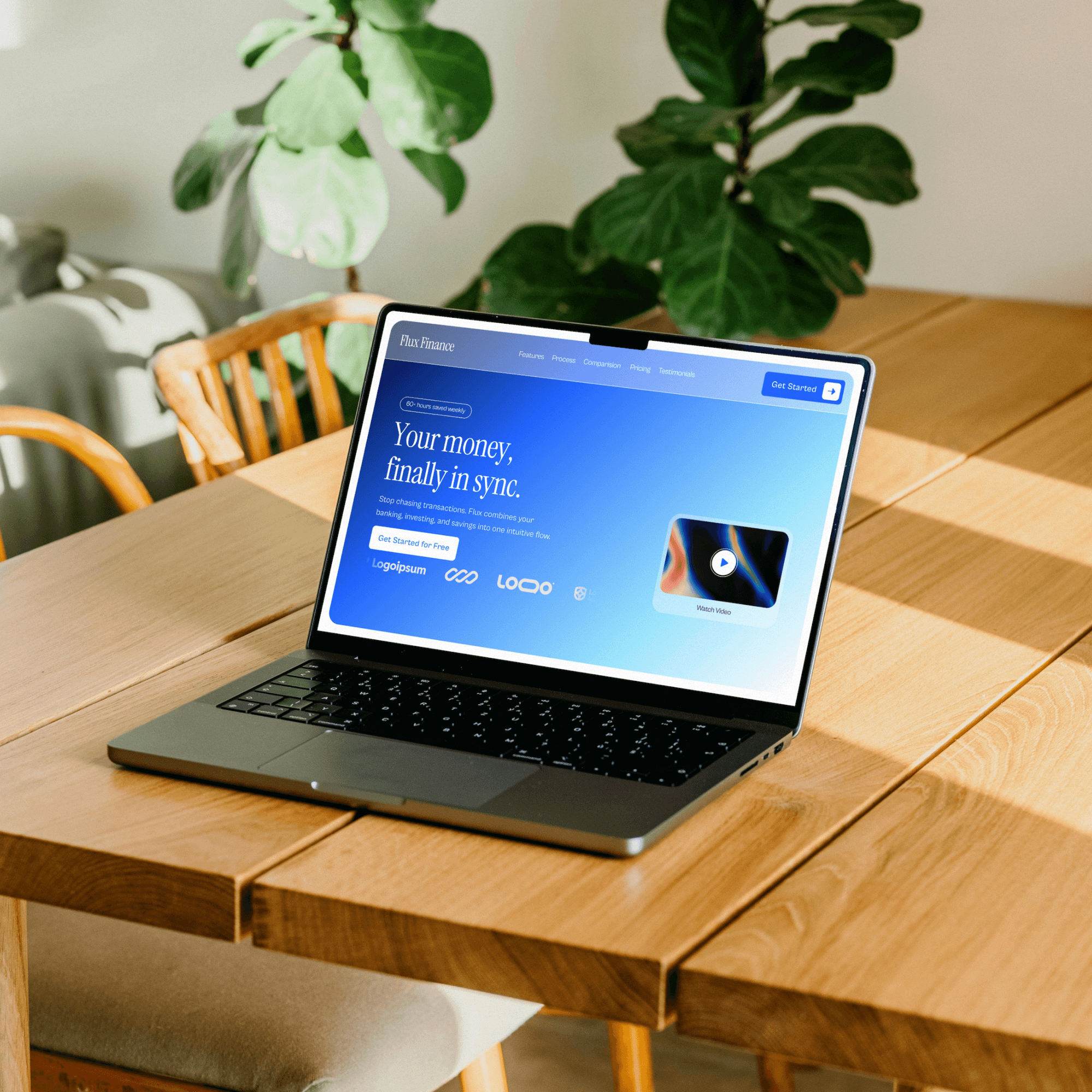
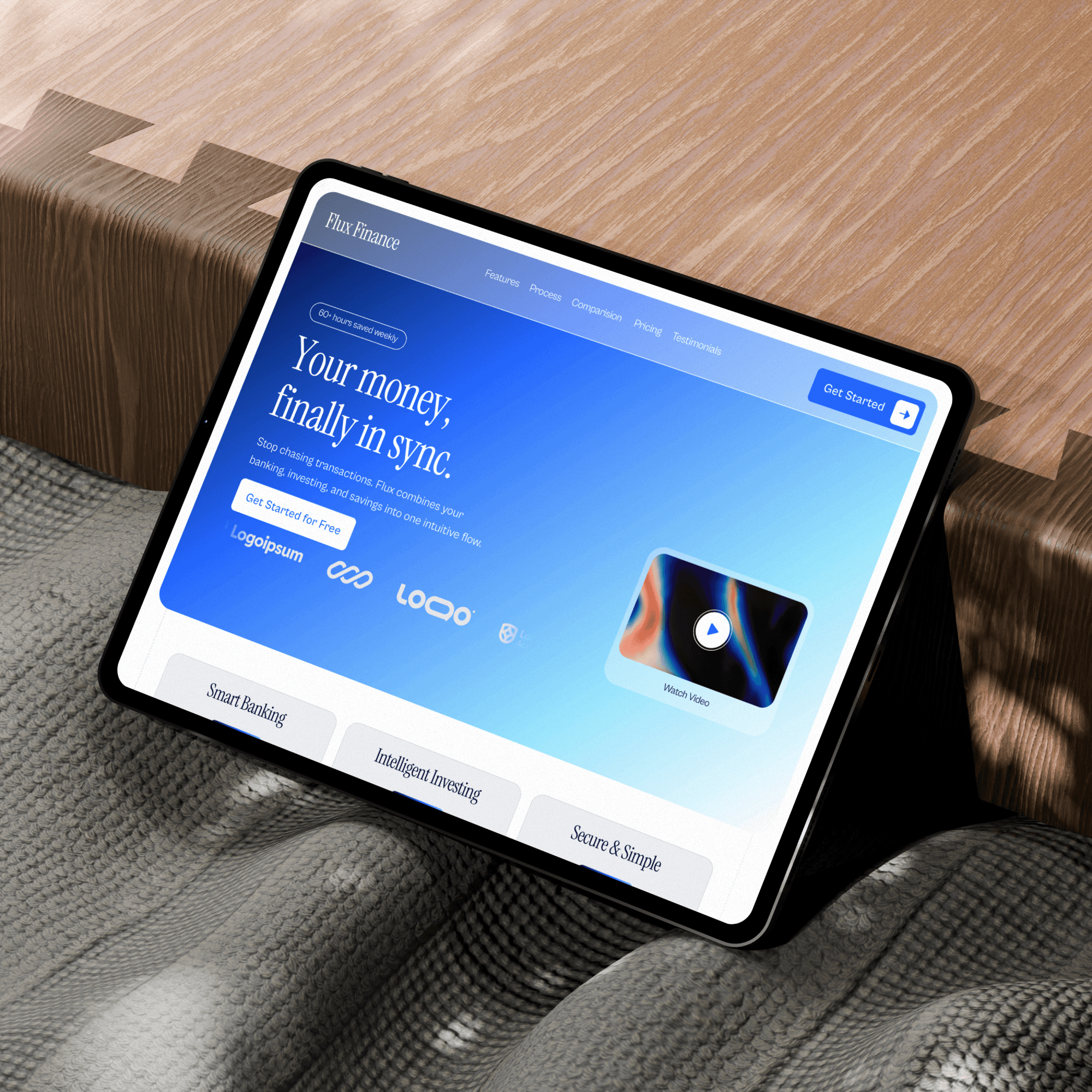
Screenshot or mockup of the actual product interface
Highlight 2-3 key features visually (arrows, annotations, whatever works)
Make sure it's high-res but optimized (Framer's built-in image optimization helps here)
Position it so it's visible without ANY scrolling
Pro tip: Use Framer's viewport height settings (like 80vh) to ensure your hero + product preview always fits on the first screen regardless of device.
Component 3: Social Proof (Micro-Dose)
Don't overdo it.
Just a quick logo strip or one killer testimonial snippet.
Place it UNDER the product preview so it reinforces what they just saw.
Component 4: CTA (One. Not Three.)
Multiple CTAs = decision paralysis = bounce.
Pick ONE action you want them to take. Book a demo. Start free trial. Whatever. But ONLY one.
Now here's the thing...
This structure works because it mirrors how people actually process websites:
Land on page (0-1 second): "Where am I?"
Quick scan (1-3 seconds): "What is this thing?"
Micro-decision (3-5 seconds): "Do I care enough to keep scrolling?"
The product preview handles step 2 AND 3 simultaneously. It shows them what the product IS while also demonstrating its value visually.
When I do Framer website redesigns for B2B service founders, this is usually the FIRST thing I fix. Not the color scheme. Not the typography. Not the animations.
The product preview placement.
Because if visitors bounce before scrolling??? None of the other stuff matters anyway.
Why This Works (And How to Implement It on Your Framer Website)
Alright let's get tactical.
Here's why showing a product preview above the fold increases engagement so dramatically:
1. Cognitive Load Reduction
Reading requires active processing. Seeing requires passive recognition. When someone sees your product interface, their brain instantly categorizes it: "Oh, it's a dashboard" or "Ah, it's a design tool" or whatever.
That split-second understanding reduces the mental effort required to figure out if this is relevant to them.
Less effort = more engagement.
2. Trust Building Through Transparency
Hiding your product makes people suspicious. "Why won't they show me what it looks like??? Is it even real???"
Showing it immediately = confidence = trust.
Especially important for B2B service founders selling to skeptical buyers who've been burned by vaporware before.
3. Pattern Interruption
Most B2B websites lead with text-heavy hero sections.
It's boring.
Expected.
Generic.
A prominent product visual breaks that pattern. It stands out. It grabs attention.
And attention is literally the only currency that matters on the web.
Now... how do you actually implement this in Framer???
Here's my exact process:
Step 1: Audit Your Current Hero
Open your Framer website. Resize your browser to 1440px width (standard desktop). Can you see your product without scrolling???
If not, you're losing engagement.
Step 2: Redesign Your Layout
In Framer, create a new section with these specs:
Height: 80-90vh (viewport height)
Layout: Two columns OR center-aligned single column
Left/Top: Headline + subheadline + CTA
Right/Bottom: Product screenshot/mockup
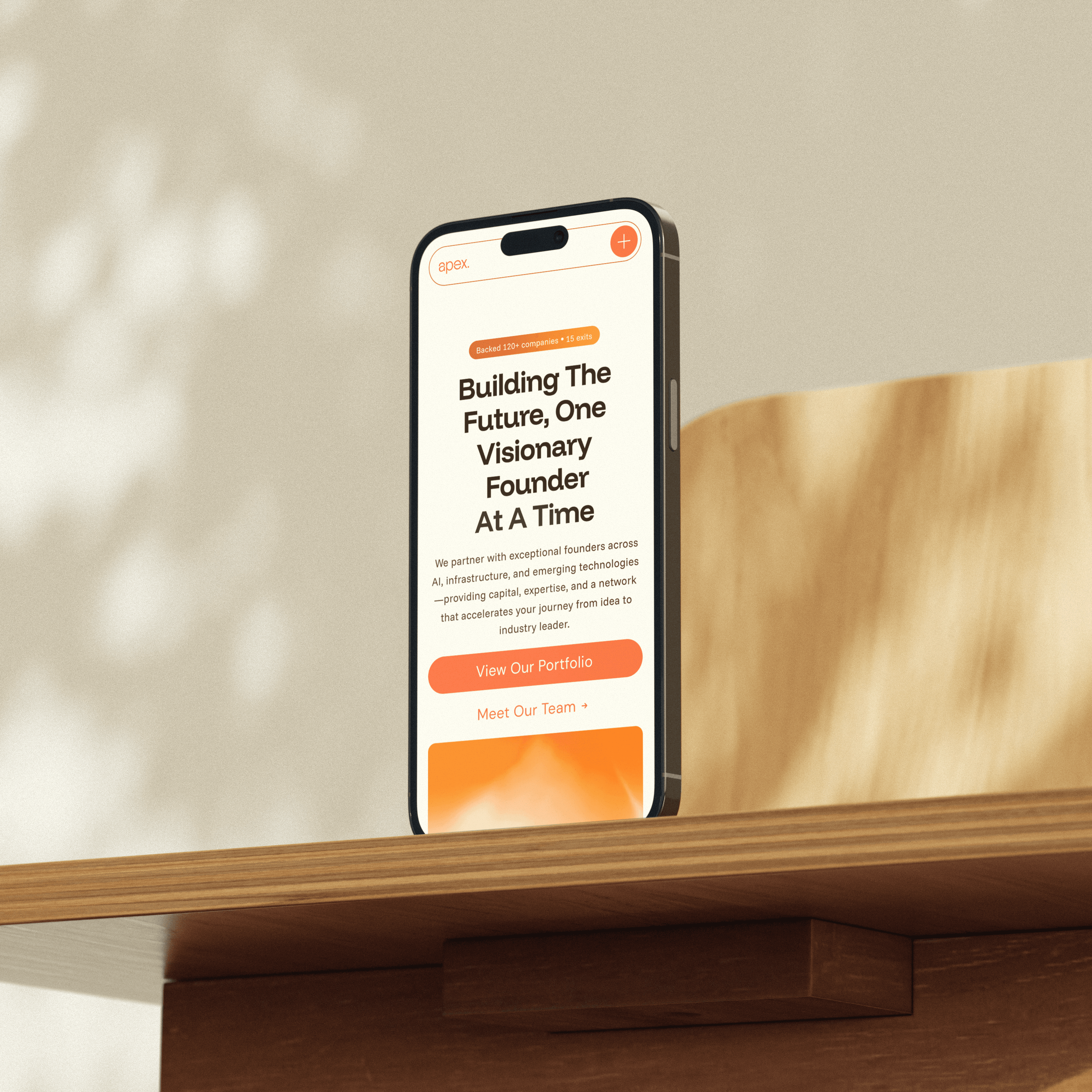
Use Framer's built-in responsive settings to stack these vertically on mobile.
Step 3: Optimize Your Visual
Export your product screenshot at 2x resolution (for retina displays). Run it through TinyPNG or Framer's built-in compression. Upload to Framer.
Add subtle animations if you want (I usually do a fade-in on scroll or a gentle floating effect) but don't overdo it.
The content is the hero, not the animation.
Step 4: Test & Iterate
Push it live. Wait 7-14 days. Check your analytics:
Average session duration (should increase)
Scroll depth (should improve)
Bounce rate (should decrease)
If you're not seeing improvements??? Your product visual might not be clear enough. Test different screenshots, different angles, different annotations.
I've done this for probably 20+ B2B service founders at this point and the results are pretty consistent: 25-40% increase in engagement metrics when you nail the product preview placement.
The Biggest Mistake I See Framer Experts Make
Okay soooo real talk...
Even experienced Framer designers screw this up.
They treat the hero section like a branding exercise instead of a conversion tool.
They prioritize aesthetics over clarity.
And they forget that their website isn't for THEM... it's for visitors who have zero context and approximately 3 seconds of attention span.
Here's what I mean:
I recently audited a Framer website for a SaaS founder.
Beautiful design.
Gorgeous animations.
Award-worthy typography.
But the hero section showed an abstract illustration instead of the actual product.
Why???
"Because it fits the brand better."
Cool. And how's your conversion rate???
"Uhhh... not great."
Exactly.
Listen... I love good design. I'm a Framer expert because I care about craft. But design serves business goals. Not the other way around.
Your hero section should answer one question: "Is this relevant to me?"
A product preview answers that instantly.
An abstract illustration makes people WORK to figure it out.
And people don't work. They bounce.
So if your hero section has zero product preview right now??? Fix that before anything else.
Fr fr 🙃
Move the screenshot up. Push the vague benefit statements down. Let the visual do the heavy lifting.
Test it for two weeks. Watch your engagement metrics improve.
Then come back and tell me I was right 🤣
Take love,
Sapi.

Saptarshi Mandal
Heyy this is me Sapi, and I help B2B Service Founders with Framer Websites (there are many things not just a website 🤣), also I love to talk about lifee.
" height="661.971999579882px" id="ejXPzlvK6" transform="translate(358.7 320.958)" width="624.49px"/><g d="M 134.366 0 C 230.476 17.23 267.876 137.21 193.836 203.78 C 123.446 267.07 16.576 223.68 0.426 133.93 C 1.396 122.52 -0.904 109.21 0.426 98.09 C 0.716 49.25 49.686 0.29 98.516 0 L 134.356 0 Z M 15.526 965.84 L 15.526 320.69 L 217.376 320.69 L 217.376 965.84 Z" fill="transparent" height="965.8400024414062px" id="wprR6v9Tw" transform="translate(16.814 17.08)" width="232.93459892271133px"><path d="M 134.366 0 C 230.476 17.23 267.876 137.21 193.836 203.78 C 123.446 267.07 16.576 223.68 0.426 133.93 C 1.396 122.52 -0.904 109.21 0.426 98.09 C 0.716 49.25 49.686 0.29 98.516 0 L 134.356 0 Z" fill="rgb(231, 231, 231)" height="233.75507600579382px" id="xT3TDjlUn" width="232.93459892271133px"/><path d="M 0 645.15 L 0 0 L 201.85 0 L 201.85 645.15 Z" fill="rgb(231, 231, 231)" height="645.15px" id="z9_iPxJS3" transform="translate(15.526 320.69)" width="201.85px"/></g></svg>)
" height="674.9933097039604px" id="MDsSbgVsk" transform="translate(27.444 162.512)" width="945.0900266821989px"/></svg>)
" height="956.74px" id="LTVtTFQzV" transform="translate(21.63 21.63)" width="956.7321368026334px"/><path d="M 479.98 239.99 C 479.98 372.53 372.53 479.98 239.99 479.98 C 107.45 479.98 0 372.53 0 239.99 C 0 107.45 107.45 0 239.99 0 C 372.53 0 479.98 107.45 479.98 239.99 Z M 383.37 240 C 383.37 160.8 319.17 96.6 239.97 96.6 C 160.77 96.6 96.57 160.8 96.57 240 C 96.57 319.2 160.77 383.4 239.97 383.4 C 319.17 383.4 383.37 319.2 383.37 240 Z" fill="rgb(231, 231, 231)" height="479.98px" id="seNblA_wg" transform="translate(259.53 260.48)" width="479.98px"/><path d="M 0 48.31 C 0 21.629 21.629 0 48.31 0 C 74.991 0 96.62 21.629 96.62 48.31 C 96.62 74.991 74.991 96.62 48.31 96.62 C 21.629 96.62 0 74.991 0 48.31 Z" fill="rgb(231, 231, 231)" height="96.62px" id="n9EpzJERt" transform="translate(690.14 213.24)" width="96.61999999999989px"/></svg>)
" height="943.6800000000001px" id="FapM_Puea" transform="translate(39.22 28.16)" width="921.56px"/></svg>)
Investment
You’re Investing In Predictability
Not just website design. Not just aesthetics. You’re building a structured Framer website that reduces friction, increases trust, and turns qualified traffic into booked calls.

FAQs
answers of your Common questions
Most founders ask the same things before applying. Here's what you probably want to know.

Your Next Step
Your next booked call starts here
Turn existing visitors into booked calls without changing your ad spend.



8+ satisfied clients